
Five views. One source of truth for the whole practice.
Fynvro OS combines core product views with the deep capabilities UK firms actually need — statutory deadlines, continuous Xero intelligence, AI that supports your team, structured workstreams, and architecture designed for compliance from day one.
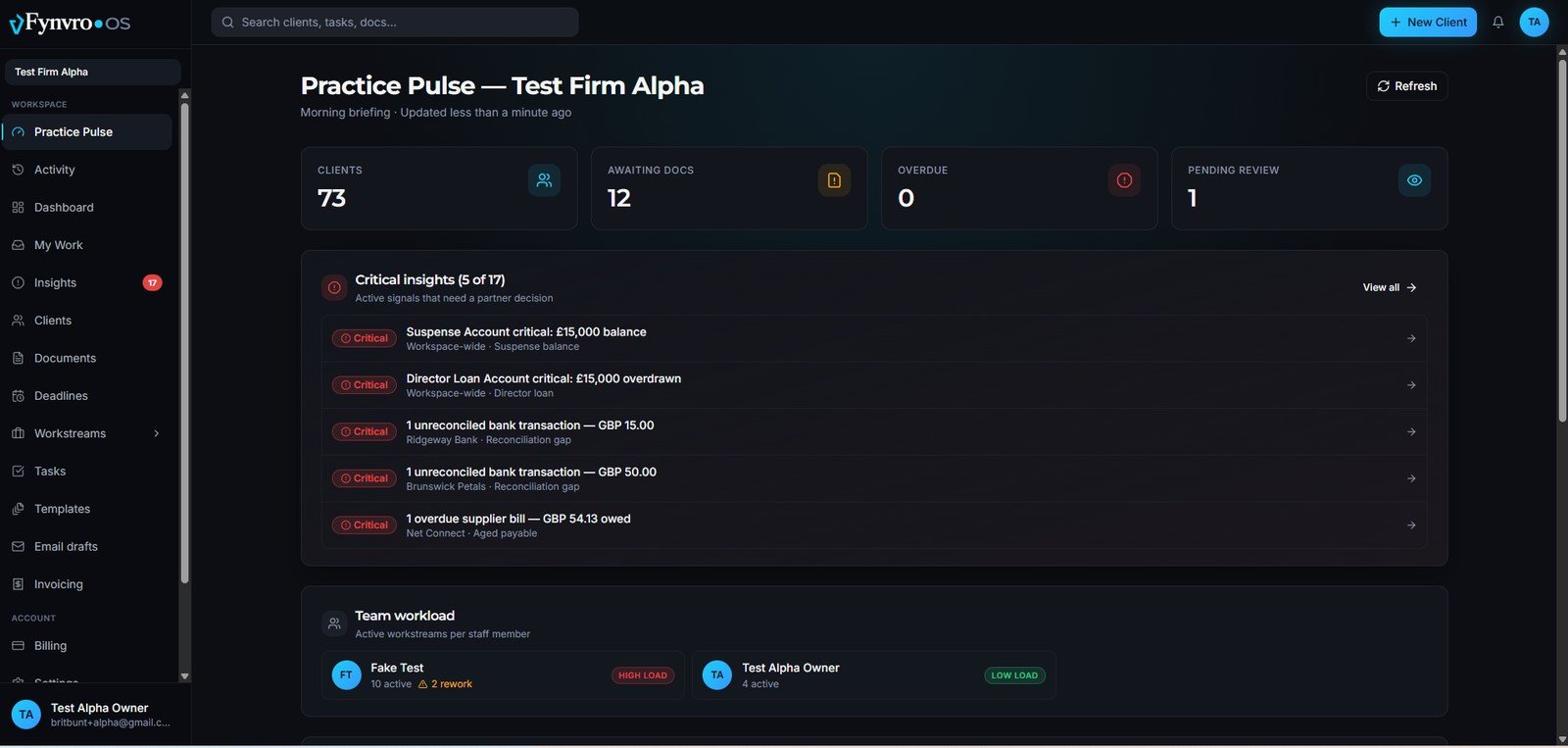
Your morning briefing, in one screen.
Every partner opens Practice Pulse to the signals that need a decision — not a wall of raw data. Critical insights, team workload and a service breakdown across the whole firm.
- Critical insights ranked by what needs a partner decision
- Active workstreams per staff member — spot overload early
- Live counts: clients, awaiting docs, overdue, pending review
- One-click "Draft email" on the most urgent clients
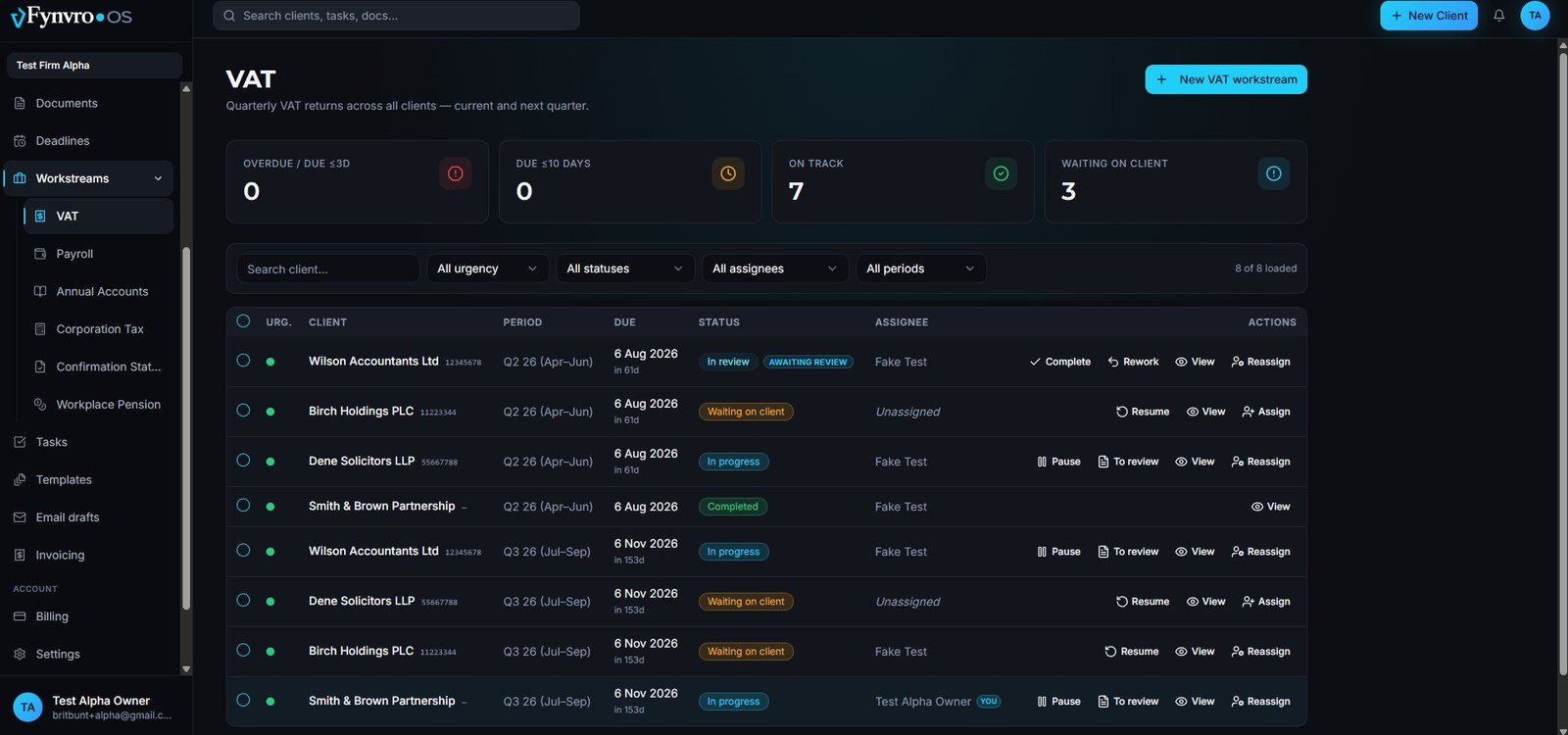
Recurring compliance lanes that fill themselves.
Final Accounts, CT600, VAT, CS01, Payroll and Pension — each in its own lane with recurring auto-generation, urgency tiers and Forever Preservation archiving. See the whole pipeline at a glance.
- Seven service lanes, auto-generating work every period
- Urgency triage: overdue, due soon, on track, waiting on client
- Assign, reassign, pause and resume — with full history
- Filter by urgency, status, assignee and period
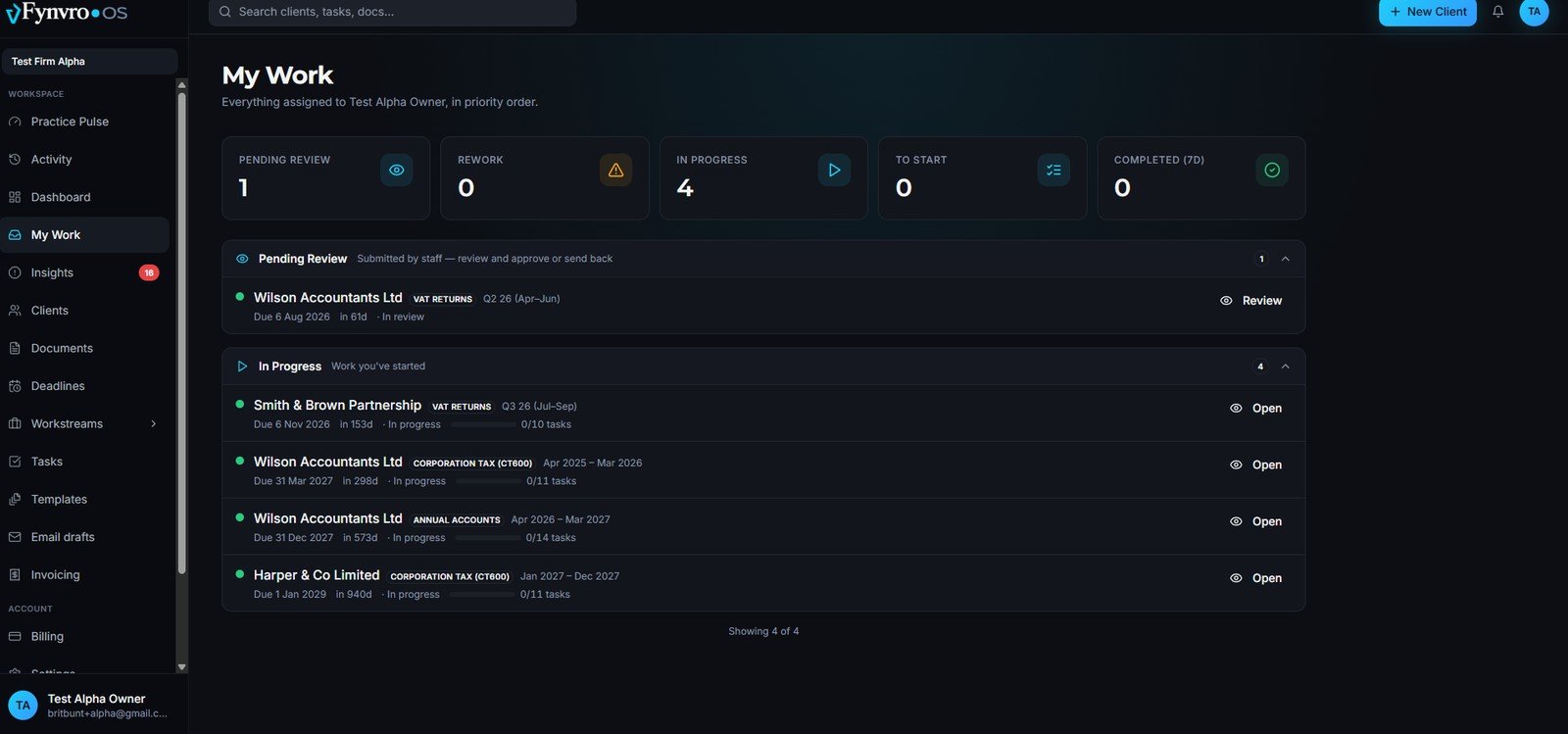
Everything assigned to you, in priority order.
A personal task organiser per fee-earner. Pipeline-aware, self-assignable, and built so nothing gets lost between "started" and "done".
- Pending review, in progress, to start and completed — clearly split
- Self-assign from the unassigned pool
- Block-with-reason (who, why, when); resume preserves history
- Task progress per workstream at a glance
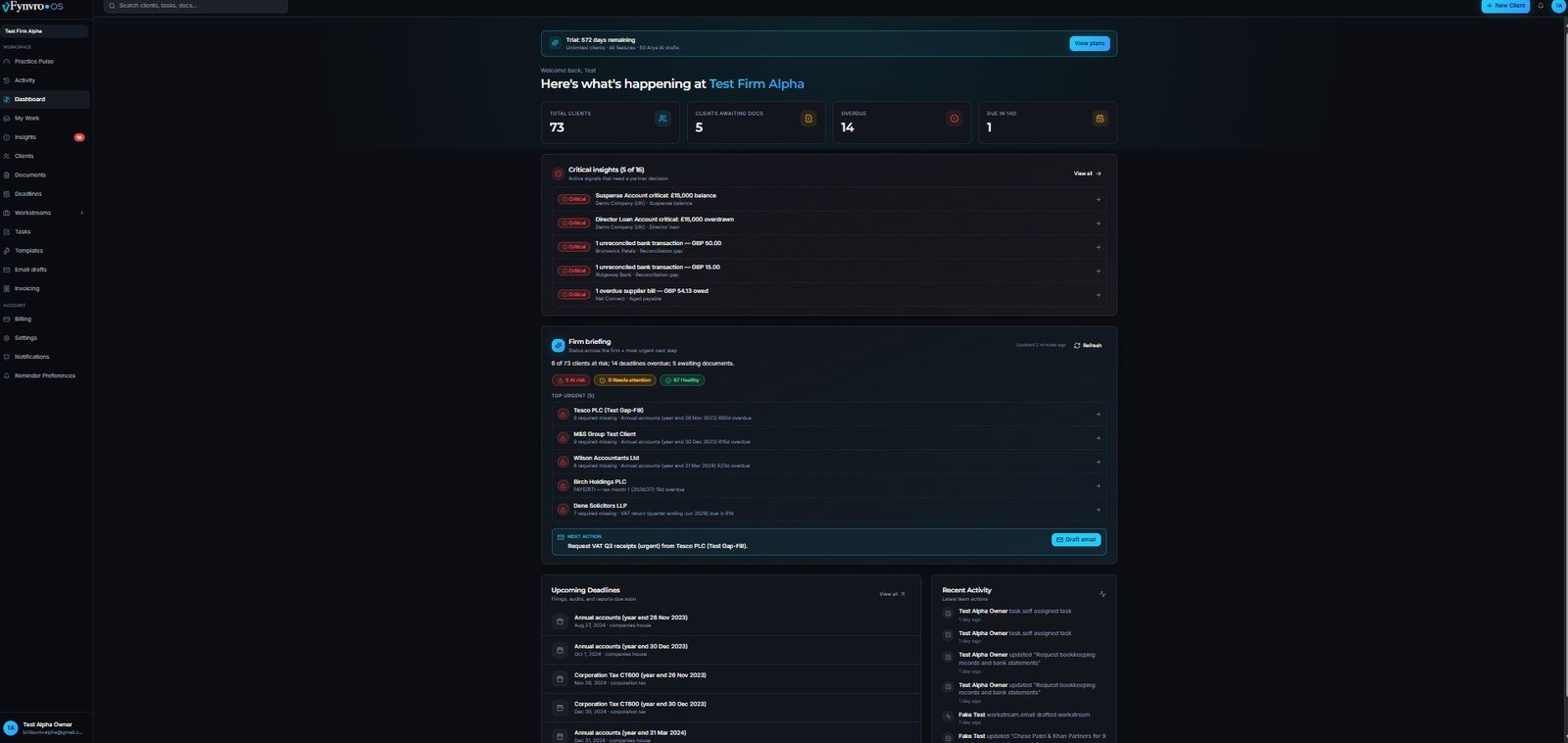
What's urgent. What's drifting. Act before it escalates.
Deadline urgency, client transitions, Xero anomalies, team activity and AI suggestions — all surfaced together, with a plain-English next action and a firm briefing on top.
- Live counts: total clients, awaiting docs, overdue, due in 14 days
- Critical insights that need a partner decision
- Firm briefing with the single most urgent next step
- Upcoming deadlines and recent team activity, side by side
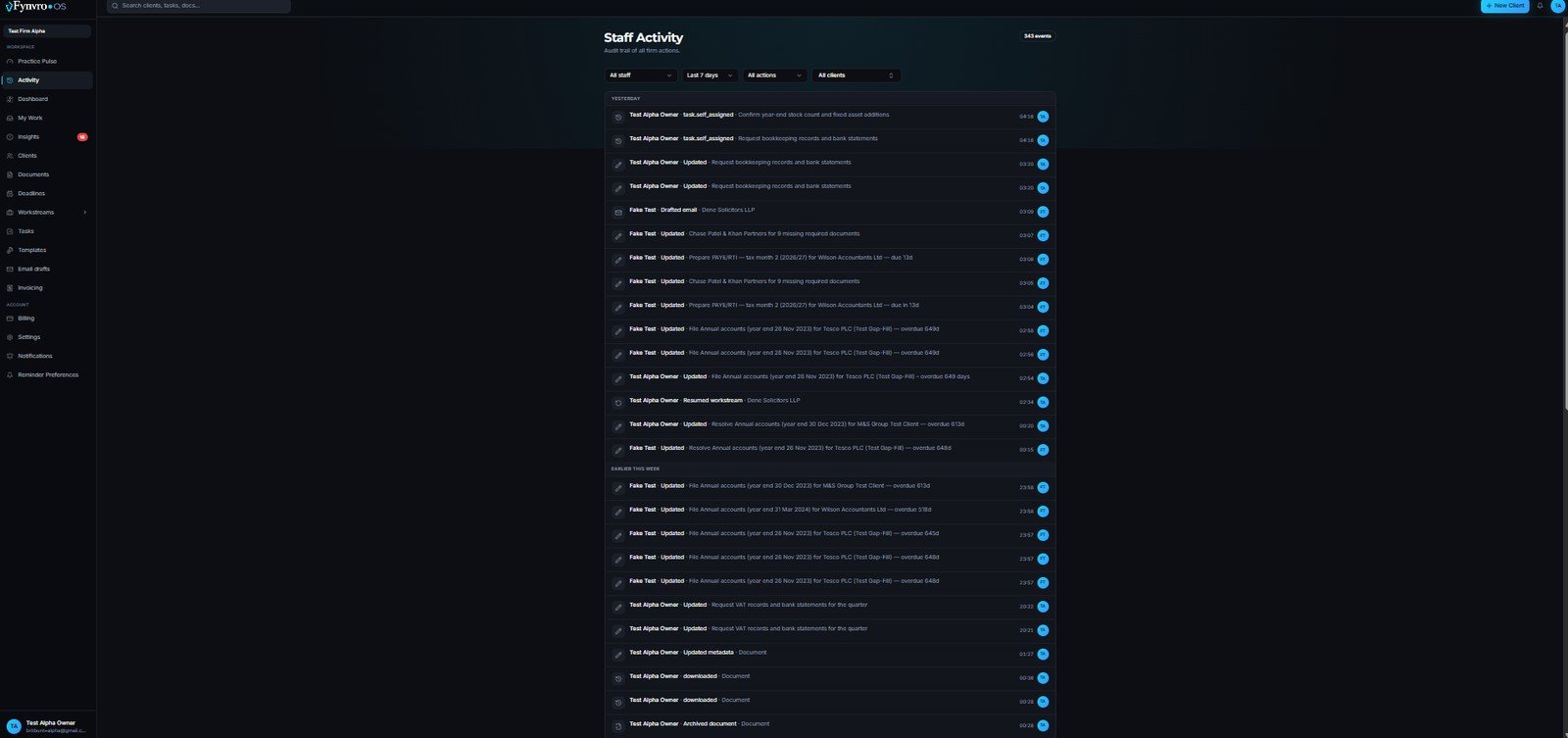
A full audit trail of every firm action.
Who's working on what. What just moved. What just got blocked or completed. Work distributes without bottlenecks — and every state-changing action is on the record.
- Workspace-wide activity feed with timestamps
- Filter by staff, time range, action and client
- Self-assignments, updates, drafts, archives — all captured
- Audit-grade record for ICAEW-regulated firms
Every feature below is live in production.
Grouped by category — shipped, not promised.
Deadlines & Compliance
- 17 UK statutory services automated
- Rolling 12-month deadline generation
- UK bank holiday-aware reminders
- Colour-coded urgency triage
- UK tax year (6 Apr – 5 Apr) baked in
Client Intelligence
- 12 OAuth Xero integration scopes
- Real-time Trial Balance capture
- 10 active Xero intelligence patterns
- Companies House nightly sync
- Officer + PSC change detection
AI That Supports Your Team
- AI Practice Intelligence panel (daily)
- Hybrid AI: lightweight + deep reasoning
- Personalised email drafts in your voice
- Suggested next actions on every watch-out
- AI suggests · accountant reviews · sends
Workflow & Tasks
- Six service workstream lanes
- Personal "My Work" view per fee-earner
- Block-with-reason workflow
- Unassigned pool with self-assignment
- Forever Preservation archiving
Team & Visibility
- Staff Activity feed across the workspace
- Practice Pulse dashboard for partners
- Role-based access — Owner, Member, Super Admin
- Audit trails on every action
- Workspace isolation between firms
Documents & Invoicing
- Documents Hub — per-client organisation
- Per-service document scoping
- Per-client, per-service invoicing
- Xero invoice auto-draft
- Bulk Excel import for client backfill
Security & Architecture
- Row-level security at the database layer
- Workspace isolation by design
- GDPR + ICAEW-compliant architecture
- Super Admin cannot read firm content
- Continuous monitoring + abuse detection
Billing & Self-Service
- Public pricing page with 6 tiers
- 30-day free trial — no card required
- In-app plan switching
- Stripe customer portal for billing
- Annual billing — 2 months free
Built for UK firms.
Every feature above is live at fynvro.app. Try it on your own clients.
Before you connect Xero.
The things a partner wants answered before a new tool touches client data.
What does Fynvro OS actually see in my Xero data?
Fynvro OS reads your connected clients’ ledger data through Xero’s official OAuth connection — twelve scopes covering the Trial Balance, contacts, invoices, bills and bank reconciliation status. It reads; it does not post journals or change anything in your clients’ books.
Can I connect one client to test it before rolling it out?
Yes. You can connect a single Xero organisation, watch what the patterns surface for that client, and decide from there. The free tier covers one user and ten clients with all the core features, with no card required.
Does this replace Xero Practice Manager, or work alongside it?
Alongside, for most firms. XPM is strong at jobs, time and billing. Fynvro OS generates UK statutory deadlines automatically and monitors the client ledger for compliance and revenue risk — the layer firms usually bolt on separately.
How is this different from a deadline tracker?
A deadline tracker tells you when something is due. Fynvro OS also tells you what is wrong in the numbers before the deadline arrives — a director’s loan drifting toward a s455 charge, a suspense account quietly growing, bank accounts that have not been reconciled.
Who in my firm sees which alerts?
Findings carry one of three severity levels and are routed accordingly: Critical to partners for a decision, Warnings to the bookkeeping team, Info to advisory. Roles are Owner, Admin and Member, with a clear separation of who can see and change what.
What happens to our data if we cancel?
You can disconnect Xero at any time, which immediately stops any further data being read. Our retention and deletion obligations are set out in the Privacy Policy and GDPR statement, and we act on deletion requests within the statutory period.